Virtual staging cost in 2026 usually comes down to one practical question: are you paying for a finished image, a set of revisions, or a complete listing workflow? AI virtual staging can be inexpensive per image, manual virtual staging often costs more but includes human review, and physical staging is still the premium option when the in-person showing experience matters.
For most real estate agents, the smartest budget is not simply "cheapest per photo." It is the lowest reliable cost to get a listing-ready visual, review it honestly, disclose it properly, and turn it into marketing assets that help the listing move.
If you are still clarifying the basics before comparing prices, start with the guide to what virtual staging means in real estate.
Key Takeaways
- AI virtual staging tools can bring the visible per-image cost down, but pricing models vary: credits, subscriptions, unlimited plans, one-time packs, and done-for-you packages all mean different things.
- Manual virtual staging services commonly charge per finished image and may include human review, styling choices, turnaround guarantees, and revision policies.
- Physical staging is not directly comparable to virtual staging. It affects the showing experience, logistics, seller expectations, and often the full room environment rather than one listing photo.
- The hidden cost of virtual staging is usually not the image itself. It is unusable output, inconsistent room angles, missing before/after disclosure, extra revisions, and time spent turning a staged image into listing copy.
- StageListingPro is built around a preview-first workflow: use AI virtual staging, review the result, then spend paid credits when you need HD no-watermark exports or continue into listing marketing assets.
Why Virtual Staging Pricing Is Hard to Compare
Most pricing pages make virtual staging sound simple: one image, one price. In a real listing workflow, it is rarely that clean.
A listing agent may need to stage a vacant living room, test a warmer version for social media, export a final image for MLS, write an open house email, and keep everything organized for the seller. A photographer may need one room staged from two angles and has to keep the furniture consistent. A property manager may only need a quick rental preview, not a polished luxury edit.
Those are different jobs, even if each one starts with the same phrase: virtual staging.
The first useful distinction is this:
| Cost type | What you are really buying | Best for |
|---|---|---|
| AI virtual staging | Fast generation, style testing, lower-cost previews | Agents who want speed and iteration |
| Manual virtual staging | Human-edited finished images and revision support | Listings where polish and scale accuracy matter |
| Physical staging | Furnished rooms for photos and in-person showings | Luxury listings, occupied showings, seller presentations |
| Listing workflow tools | Images plus copy, emails, saved history, and exports | Agents managing repeat listing marketing |
This is why the right question is not "What is the cheapest virtual staging?" The better question is: what does it cost to get from an empty room photo to a listing asset you can confidently publish?
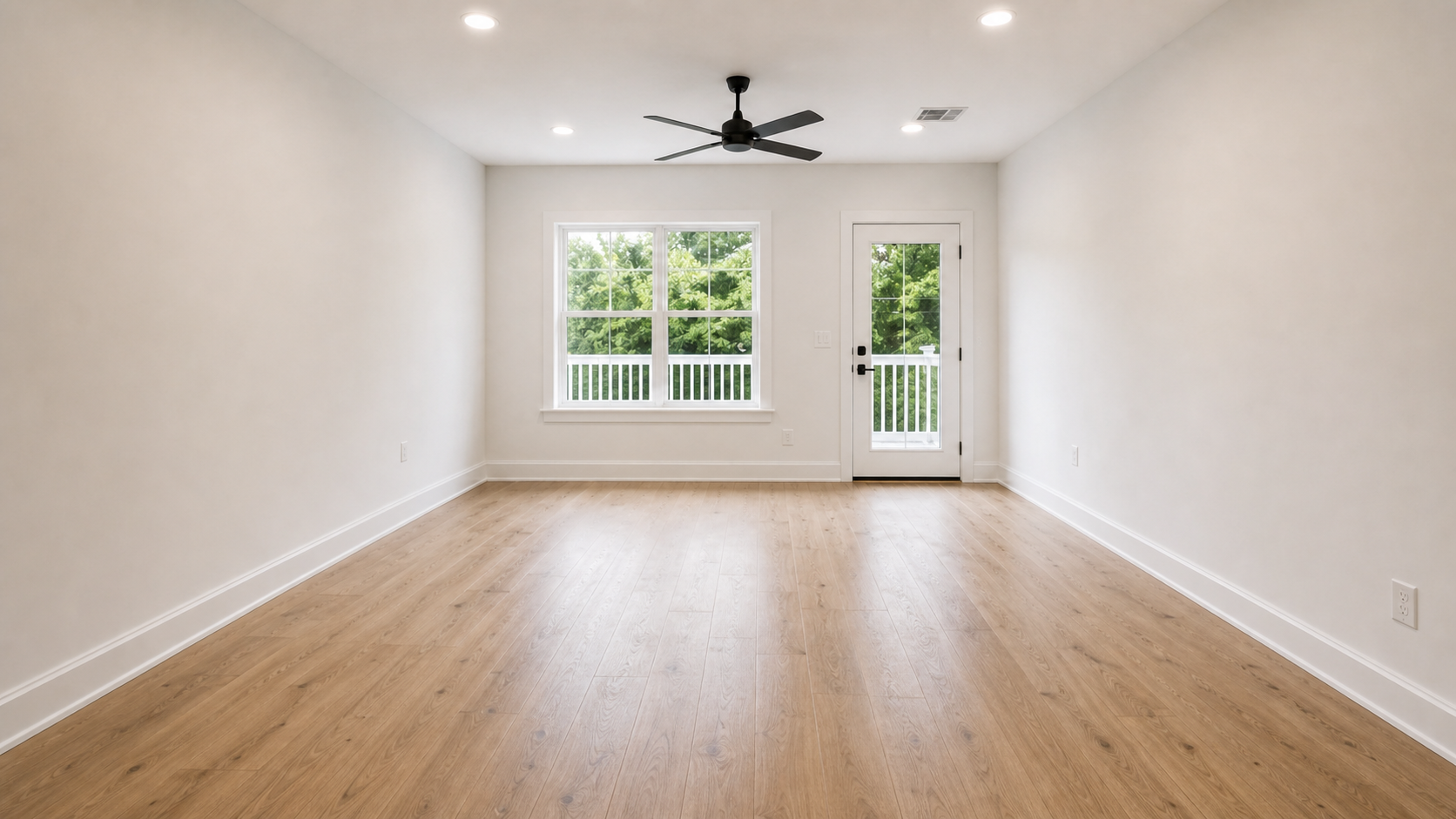
Start with the actual room. A useful cost estimate begins with the condition of the source photo, not the staging tool.
Current Market Pricing: What Competitors Signal
A quick scan of current virtual staging pricing shows a wide spread.
BoxBrownie lists virtual staging at US$30 per image and positions the service around photorealistic editing, digital scaling, 48-hour turnaround, and no subscription requirement. That is a classic per-image manual service model: clear price, finished deliverable, human process.
Apply Design uses a coin model. Its pricing page shows Apply Coins at $10 each for smaller purchases, $8 each for mid-sized purchases, and $7 each when buying 20 or more. It also separates auto staging and DIY staging, which matters because one-click speed and hands-on control are different buying decisions.
VirtualStaging.ai presents a lower per-image entry point, with plan language around watermark-free images, unlimited revisions, furniture removal, fast turnaround, and subscription tiers. It also offers done-for-you bundles for agents who prefer to send photos and receive a staged set back.
REimagineHome uses monthly plans and credits, with higher-tier positioning around batch processing, reference photos, incremental editing, parallel processing, and professional downloads. Its pricing language is less about one image and more about a broader design system.
The pattern is clear: the market is moving away from one simple price per staged photo. Providers are bundling speed, revisions, watermark removal, consistency, product workflow, storage, and team volume into pricing. That is good for power users, but it can make the buying decision harder for an agent who just needs to prepare one listing.
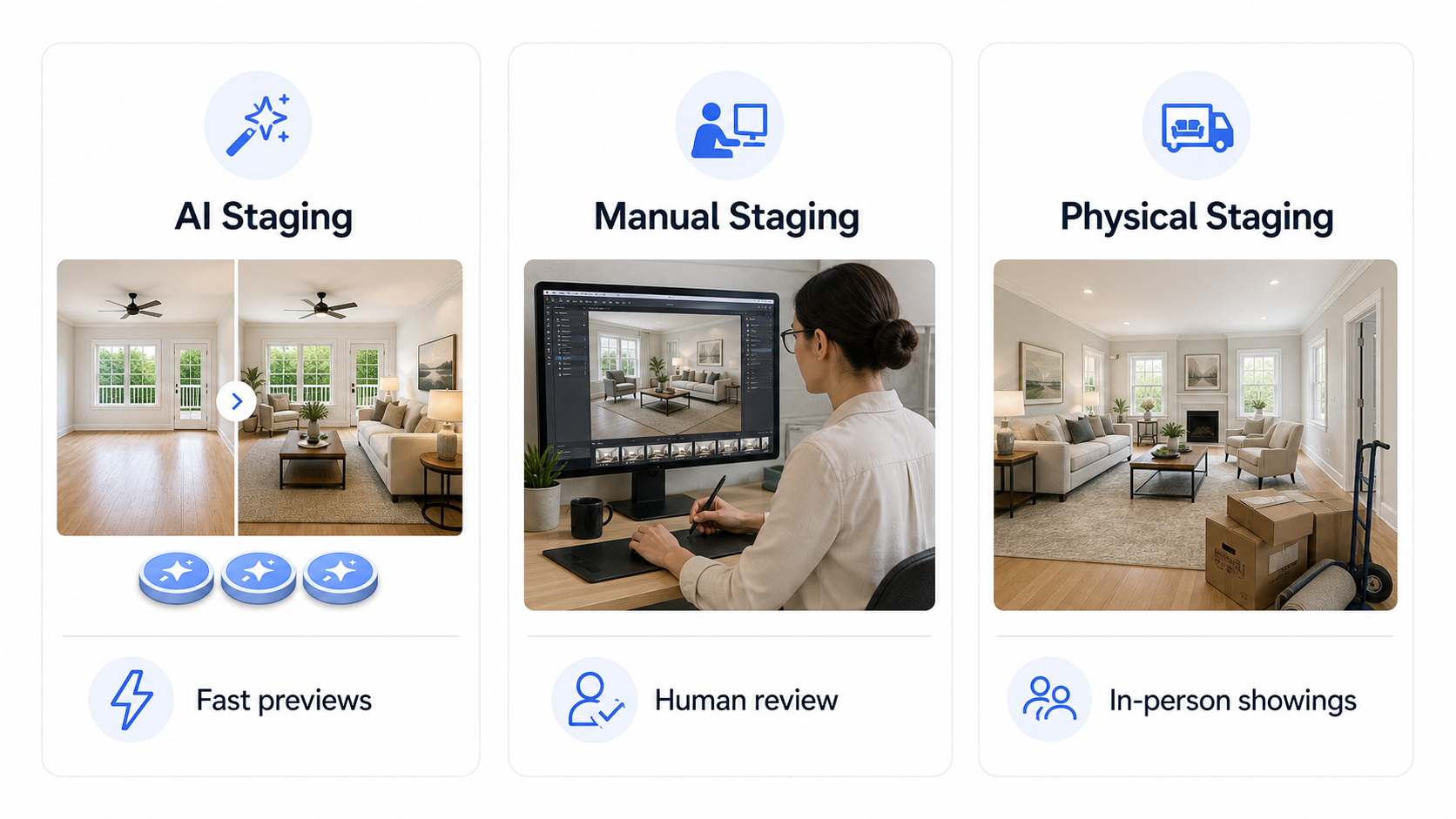
AI staging, manual virtual staging, and physical staging solve different jobs. Comparing them only by "price per image" hides the real buying decision.
The Three Real Cost Buckets
When a client asks, "How much does virtual staging cost?" break it into three buckets.
1. The Preview Cost
This is the cost to explore whether an image is worth using.
For AI tools, this might be a credit, a free trial image, or part of a monthly plan. For manual services, there may not be a separate preview at all; you pay for the finished image and request revisions if needed.
Preview cost matters because many staging decisions are subjective. A room can be technically staged but still feel wrong for the listing. Maybe the sofa blocks the window. Maybe the style is too luxury for a modest rental. Maybe the furniture scale makes the room look suspect.
Good preview economics let an agent test direction without feeling locked into the first output.
2. The Publishable Export Cost
This is the cost to obtain the file you can actually use in listing marketing.
In many tools, this means watermark-free export, higher resolution, commercial use, or final download. In StageListingPro terms, this is where paid credits matter most: preview first, then use paid credits when you are ready for an HD no-watermark result.
That separation is important. It reduces the chance of paying full export cost for an image that still needs prompt adjustment or a different room style.
3. The Workflow Cost
This is the cost most pricing comparisons ignore.
After the staged image is ready, someone still needs to:
- write MLS-friendly listing copy;
- create a just-listed email;
- prepare a social caption;
- keep original and staged photos together;
- disclose the staged image correctly;
- save the final export for seller approval or future use.
If you do this once, a simple credit pack may be enough. If you do it every week, the workflow cost becomes the real cost. That is where a saved output history and reusable brand details start to matter more than shaving a dollar off a single image.
AI Virtual Staging Cost: Where It Saves Money
AI virtual staging saves money when the main job is fast visualization.
It is especially useful for:
- vacant rooms with clear walls, floors, and windows;
- early listing preparation before final marketing;
- rental listings where speed matters more than luxury polish;
- agents testing several design styles;
- photographers offering a lightweight staging add-on;
- teams that need quick social or email visuals.
AI also changes the revision math. Instead of waiting for a designer to revise a scene, an agent can adjust room type, style, and prompt, then generate another version. This makes experimentation cheaper.
But cheaper iteration is only valuable if the agent knows what to review. The biggest mistake is treating the first output as final because it looks impressive at a glance.
Before exporting, check:
- Does the furniture scale match the room?
- Are windows, doors, flooring, and built-ins still recognizable?
- Does the room function make sense for the listing?
- Does the image need a "Virtually Staged" label?
- Is the original before photo easy to access?

The final image is only worth paying for when it still represents the room accurately and supports the listing story.
Manual Virtual Staging Cost: When Paying More Can Make Sense
Manual virtual staging is still useful when a listing needs more control.
The per-image price may be higher, but the buyer is often paying for judgment: furniture scale, shadowing, room-specific styling, revision handling, and consistency. A service like BoxBrownie, for example, emphasizes photo-realistic output, digital scaling, 48-hour turnaround, and included changes within a request window.
Manual staging can make sense when:
- the listing is high-value and the visuals will be heavily scrutinized;
- the room has a difficult angle or unusual layout;
- multiple photos of the same room need consistent furniture;
- the seller expects a more polished presentation;
- the agent does not want to prompt, regenerate, or review many versions.
The tradeoff is time and flexibility. Manual services are often priced around a finished image rather than a rapid preview loop. For many agents, that is fine. For others, especially when preparing social assets or early seller options, AI is faster.
Physical Staging Cost: A Different Category
Physical staging should not be treated as merely "the expensive version of virtual staging." It solves a different problem.
Virtual staging changes how the property appears online. Physical staging changes how the property feels during photography, showings, open houses, and seller conversations.
The National Association of REALTORS reported in its 2025 Profile of Home Staging that most buyers' agents said staging made it easier for buyers to visualize a property as a future home. That helps explain why staging remains part of the conversation even as AI tools improve.
Physical staging may be worth considering when:
- in-person showings are central to the sales strategy;
- the seller needs a premium presentation;
- the home is vacant and feels cold in person;
- the target buyer is luxury or design-sensitive;
- the agent wants the room to photograph and show consistently.
But physical staging also introduces coordination costs: furniture rental, delivery, insurance, scheduling, removal, and seller approval. For many standard listings, AI or manual virtual staging is a more practical first step.
A Simple Budget Model for One Listing
Start with the number of rooms that actually need help. Not every room needs staging. The goal is not to decorate the whole property; it is to clarify the rooms that influence buyer understanding.
For a typical vacant listing:
| Room | Usually worth staging? | Why |
|---|---|---|
| Living room | Yes | Defines lifestyle and scale |
| Primary bedroom | Often | Helps buyers understand bed placement |
| Dining area | Often | Clarifies flow and entertaining use |
| Home office or flex room | Sometimes | Helps explain an ambiguous room |
| Basement or bonus room | Sometimes | Useful if the space feels undefined |
| Small secondary bedrooms | Only if confusing | Avoid spending where buyers already understand the room |
For many listings, two to four staged images are enough. A higher-end listing may need more. A rental may only need one or two.
Then add the marketing layer:
- one MLS description;
- one Zillow/Realtor.com-style description;
- one open house email;
- two or three social captions;
- before/after images for disclosure and seller review.
That is why a small credit pack can be enough for a single lightweight listing, while a recurring Pro plan makes more sense for agents preparing listings every month.
You can compare current StageListingPro options on the pricing page.
Realistic Virtual Staging Budget Examples
The fastest way to make pricing useful is to put it against a real listing. Below are practical budget ranges, not promises. They are meant to help an agent decide which workflow to use before buying credits, ordering manual staging, or asking a seller to approve physical staging.
| Listing scenario | Typical need | Lean AI budget | More polished budget |
|---|---|---|---|
| Rental listing | 1-2 staged images, simple copy, fast turnaround | Low-cost AI previews plus selected HD exports | Add listing copy and one email/social draft |
| Vacant condo | 2-3 key rooms: living, bedroom, dining/flex | Credit pack or low-volume AI plan | Manual review for the hero image if the angle is difficult |
| Standard single-family listing | 3-5 staged images across main rooms | Credits for previews and final exports | Mix AI for secondary rooms with manual staging for the lead room |
| Luxury listing | 4-8 images, seller approval, style consistency | AI for early concepts and style direction | Manual or physical staging for final presentation |
| Real estate photographer add-on | Repeat staging requests across clients | AI workflow with reusable prompts and QA checklist | Subscription model for repeat volume |
Here is the important part: the same listing can look cheap or expensive depending on how many outputs you count. A three-room vacant condo might be "three staged images" on a pricing page, but in practice it can involve six previews, three final exports, a seller-facing before/after review, and marketing copy for MLS and email.
That is why a useful budget estimate should include the whole path. Think of the listing budget as the number of rooms worth staging, multiplied by the cost of getting a usable result, plus the practical costs around revisions, HD export, disclosure review, and downstream marketing assets.
In plain terms, do not budget only for the first image. Budget for the final image you can publish, the time needed to review it, and the copy or campaign assets you will create from it.
If the property only needs one rental-ready room image, keep the workflow lean. If the listing will be used for MLS, Zillow, open house emails, social posts, and seller reporting, the "image cost" is only one part of the budget.
What Agents Often Forget to Budget For
Virtual staging looks like an image expense. In practice, the overlooked costs are usually operational.
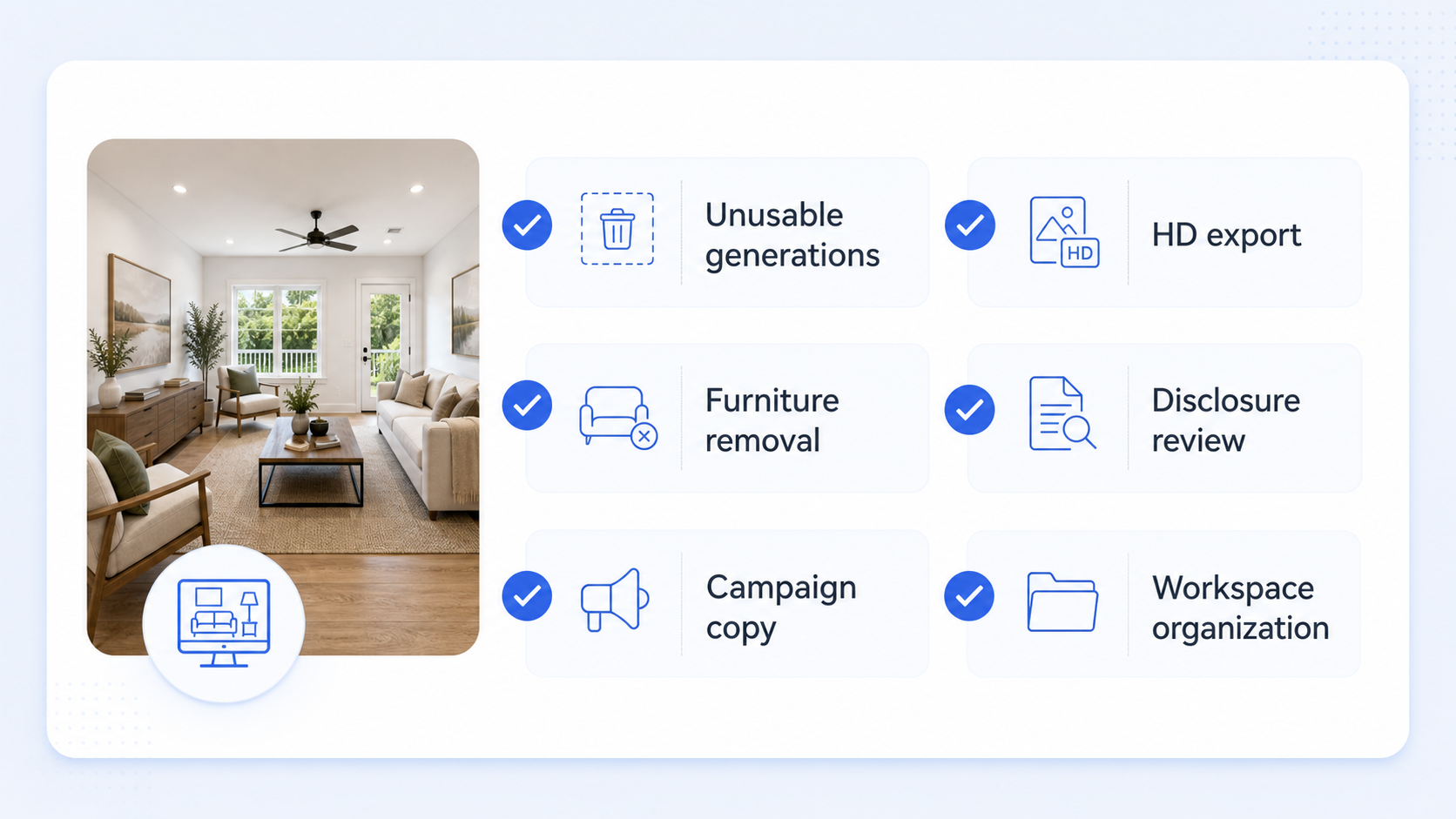
The visible image price is only part of the budget. Review time, HD export, disclosure, cleanup, and marketing reuse often decide whether a staging workflow is actually efficient.
Unusable Generations
AI staging is cheaper when the first few attempts are reviewable. It is less cheap when ten generations are needed to get one usable room. Bad source photos, extreme wide-angle shots, dark rooms, reflective floors, or heavy clutter can raise the real cost even if the tool price is low.
Watermark-Free and HD Export
Many tools separate preview from publishable download. That is reasonable, but agents should know which step creates the file they can actually use in listing marketing. A watermarked preview is for review. An HD no-watermark export is the asset.
Furniture Removal or Decluttering
Staging an empty room is not the same as cleaning up an occupied room. Furniture removal, clutter cleanup, object removal, or room-to-room consistency may cost more credits or require a different workflow. If the source photo is not vacant, budget for cleanup before staging.
Disclosure and Before/After Review
Disclosure is not a design detail. It is part of the listing workflow. Keep the original image, compare it with the staged version, and label staged images when your MLS, brokerage, or local rules require it. The cost is not just money; it is also review time.
Copy and Campaign Reuse
A staged image usually creates follow-up work: MLS remarks, open house email, social captions, property description, and seller updates. If those assets are written from scratch after the image is done, the listing team still pays in time. This is where a tool connected to email templates and listing copy can reduce friction.
Output History Organization
Agents often underestimate the value of keeping originals, staged exports, prompts, property details, and marketing copy in one place. For one listing, a folder may be enough. For repeat listing work, a saved output history can prevent lost files and repeated setup.
The Hidden Cost: A Result You Cannot Use
The cheapest generated image is expensive if you cannot publish it.
Common reasons a staged image becomes unusable:
- furniture appears too large or too small;
- the AI changes flooring, windows, or walls;
- the layout suggests a room function that does not fit the home;
- the style does not match the property price point;
- different angles of the same room do not match;
- the agent cannot find the original image for disclosure;
- the image looks polished but misleading.
This is where expert review matters. The goal is not to make an empty room look exciting at any cost. The goal is to make the room easier to understand while keeping buyer trust intact.
NorthstarMLS guidance says virtually staged, AI-generated, or AI-enhanced listing photos should be clearly disclosed and accompanied by an unaltered before image that shows the property's actual condition. It also draws a line between adding personal property, such as furniture and decor, and changing permanent or structural features.
Even if your MLS rules differ, that is a good operating standard.
Pay Per Image vs Credits vs Subscription
Each pricing model has a place.
Pay Per Image
Pay per image is simple. You know the finished-image cost upfront. It works well for agents who stage occasionally and want a clear purchase.
The downside is that it may discourage experimentation. If every variation feels like another full charge, agents may settle for a "good enough" image too early.
Credits
Credits fit workflows where different actions have different value. A preview, a regeneration, an HD export, and an email draft should not necessarily cost the same.
Credits also make sense when the product combines several tools: virtual staging, AI furniture removal, listing descriptions, and email templates.
The important question is transparency. Users should understand what credits pay for, when paid credits are required, and when a preview is enough.
Subscription
Subscriptions make sense when listing marketing is recurring.
If you prepare a listing once every few months, buying credits may be simpler. If you are an active agent, photographer, or small team, a subscription can reduce friction because credits and saved output history are always available.
The value of Pro is not only the monthly credits. It is the ability to review saved generations, prompts, email drafts, and export decisions in one history. That becomes more useful when a single listing produces images, generated copy, and multiple download decisions.
What StageListingPro Is Optimizing For
StageListingPro is not trying to be the cheapest possible image generator.
The product is built around a more specific idea: real estate agents need a listing marketing workflow, not just a staged picture.
That changes the product decisions:
- Start with a room photo and generate a staged preview.
- Review the image before paying for final HD export.
- Keep the original and staged versions together.
- Turn the staged room into listing copy and email drafts.
- Save important assets inside a saved output history when using Pro.
That is why StageListingPro pricing includes both credit packs and Pro subscriptions. A one-off agent should not be forced into a recurring plan. An active agent should not have to rebuild the same listing workflow from scratch every time.
Try the staging workflow on the AI virtual staging tool, then move to pricing when you know whether you need a one-time credit pack or a recurring subscription.
When to Choose AI, Manual, or Physical Staging
Use AI virtual staging when:
- speed matters;
- the room photo is clear;
- you want to test styles;
- the listing needs online presentation quickly;
- you also need marketing copy and emails.
Use manual virtual staging when:
- the room is complex;
- the listing is premium;
- you need designer judgment;
- consistency across room angles is critical;
- you prefer a done-for-you process.
Use physical staging when:
- the in-person showing experience matters as much as the listing photo;
- the home is vacant and feels empty during tours;
- the seller expects a premium presentation;
- the listing price justifies the logistics.
Many agents will use more than one approach. AI can be the first pass, manual staging can be reserved for the most important photos, and physical staging can be used when the property itself needs to feel furnished during showings.
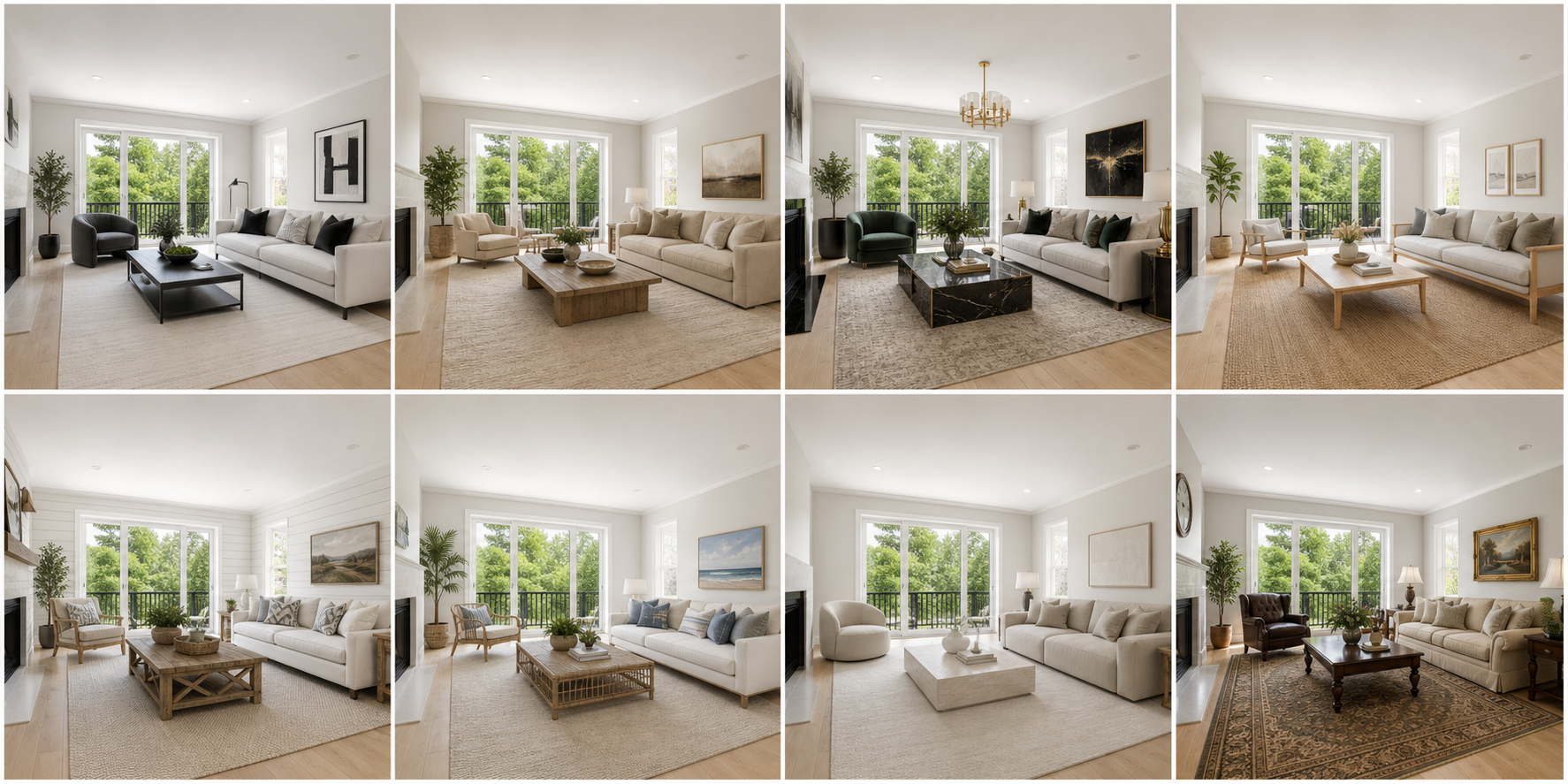
Style choice is part of the cost decision. More options are useful only when they help the listing speak to the right buyer.
A Practical Checklist Before You Pay
Before buying credits, ordering per-image staging, or subscribing, ask:
- How many rooms actually need staging?
- Do I need a preview, a final export, or a full listing marketing package?
- Will I need multiple style tests?
- Does the final image need to be watermark-free?
- Do I have the original before photo saved?
- Does my MLS require disclosure in captions, remarks, or on the image?
- Will I need listing copy, emails, or social captions after the image is ready?
- Is this a one-time listing or a recurring workflow?
If the answers point to one small listing, buy credits. If the answers point to repeated listing work, consider Pro. If the answers involve seller presentations, luxury positioning, or in-person experience, consider whether manual or physical staging should be part of the plan.
FAQ
How much does virtual staging cost in 2026?
Pricing varies widely. Some AI plans advertise very low per-image costs, while manual virtual staging services may charge tens of dollars per finished image. The better estimate is per listing: how many rooms need staging, how many revisions you need, whether you need HD exports, and whether you need marketing copy after the image is ready.
Is AI virtual staging cheaper than traditional virtual staging?
Usually, yes for previews and style testing. AI can reduce the cost of trying multiple looks. Traditional manual virtual staging may cost more per finished image but can include human review, scale control, and revision handling.
Is physical staging still worth it?
Sometimes. Physical staging affects showings, open houses, and the in-person buyer experience. AI virtual staging is best for online presentation and fast marketing assets. They are related, but they solve different problems.
How many virtually staged images does one listing need?
Most standard listings do not need every room staged. Two to four images are often enough: living room, primary bedroom, dining area, and a confusing flex space. Luxury listings, large vacant homes, or rentals with unclear layouts may need more.
Should virtually staged photos be disclosed?
Yes, agents should follow their MLS, brokerage, and local rules. A conservative practice is to keep the original before image, label virtually staged images clearly, and avoid changing permanent property features.
What is the best low-risk way to start?
Use a preview-first workflow. Upload a clear room photo, test a style, review the result, then spend paid credits only when the image is ready for HD no-watermark export. You can start with StageListingPro's virtual staging tool.
Bottom Line
The best virtual staging budget is not the lowest number on a pricing table. It is the least expensive path to a believable, properly reviewed, listing-ready asset.
If you stage one room occasionally, a credit pack is usually enough. If you prepare listings every month, the real savings may come from a Pro workflow that keeps images, prompts, exports, and marketing copy organized. And if the property needs to impress buyers in person, physical staging may still deserve a place in the plan.
Start with the room that most needs explanation. Stage it, compare before and after, then decide whether the result is worth turning into a full listing package.